A questionnaire document
becomes quantitative research ready to launch, collect and report

Quantitative Research Agent — state your need or upload a questionnaire, and mid-conversation it builds the survey, validates logic, launches and collects, and produces cross-tab reports

Get a survey live without manual formatting and spot-checks

From questionnaire document to launchable, collectable, reproducible quantitative research

Traditional quantitative execution
Quantitative Research Agent
Survey build
Manually entering each question, error-prone
Builds the survey straight from the document, transcribing each question faithfully
Logic & quotas
Manually setting skip logic / show-hide / quotas, easy to miss
Deterministically compiles matrix row-level show-hide, skip logic and quotas
Launch quality
Errors found only after it's already out
A deterministic hard gate before launch — nothing ships until it passes
Data collection
Links / QR codes set up and distributed by hand
One-click launch; response link + QR code distributed instantly
Cross-tab analysis
Export data to Excel / SPSS and run by hand
Cross-tabs and charts via the research platform
Report output
Reports written by hand, 2–3 days
A quantitative report drafted automatically
Build verification
Manual spot-checks, hard to guarantee consistency
Gold-standard check diff=0, the build aligns word-for-word with the original

More than efficient — trustworthy data and reproducible conclusions matter more

From survey build to collection and analysis, every step is deterministically validated, verifiable and traceable

Entry errors, missed logic
On upload it builds each question and auto-validates row-level logic and quotas
"How did that question ship broken?"
A deterministic hard gate before launch — nothing ships until it passes
Slow data collection
One-click launch, response link + QR code distributed instantly
Analysis and reporting take time
Via the research platform, cross-tabs and a draft quantitative report

You're always the decision-maker

1

Explain it · or upload the questionnaire

Say what you want to research in plain words, or drop in a questionnaire document, and the agent builds the survey

2

You review · you decide

After the build and logic validation it pauses for your review; actions like launching never run without your go-ahead

3

Take a live survey and report

Response link / QR code distributed instantly; after collection, cross-tabs and a quantitative report are produced together

Follow a real project through the full workflow

Open any step to see the agent produce work as it talks — every step is a real project output

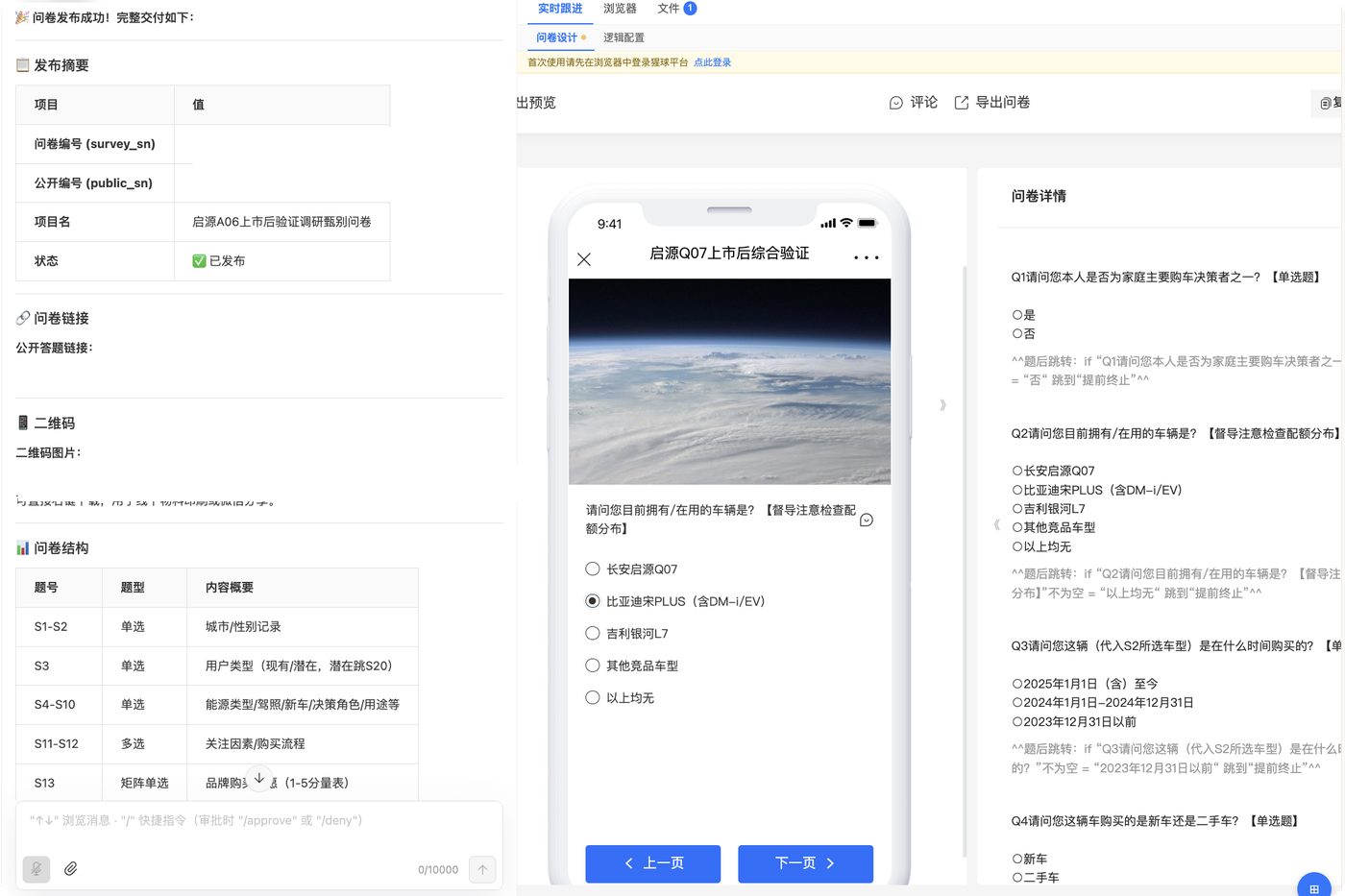
Survey build preview Click to enlarge
STEP 1 · Survey build

One questionnaire document, faithfully built question by question

Upload a questionnaire document or state the need, and questions, question types and skips take shape as a structured e-survey; the response preview and question details on the right are visible and checkable in real time.
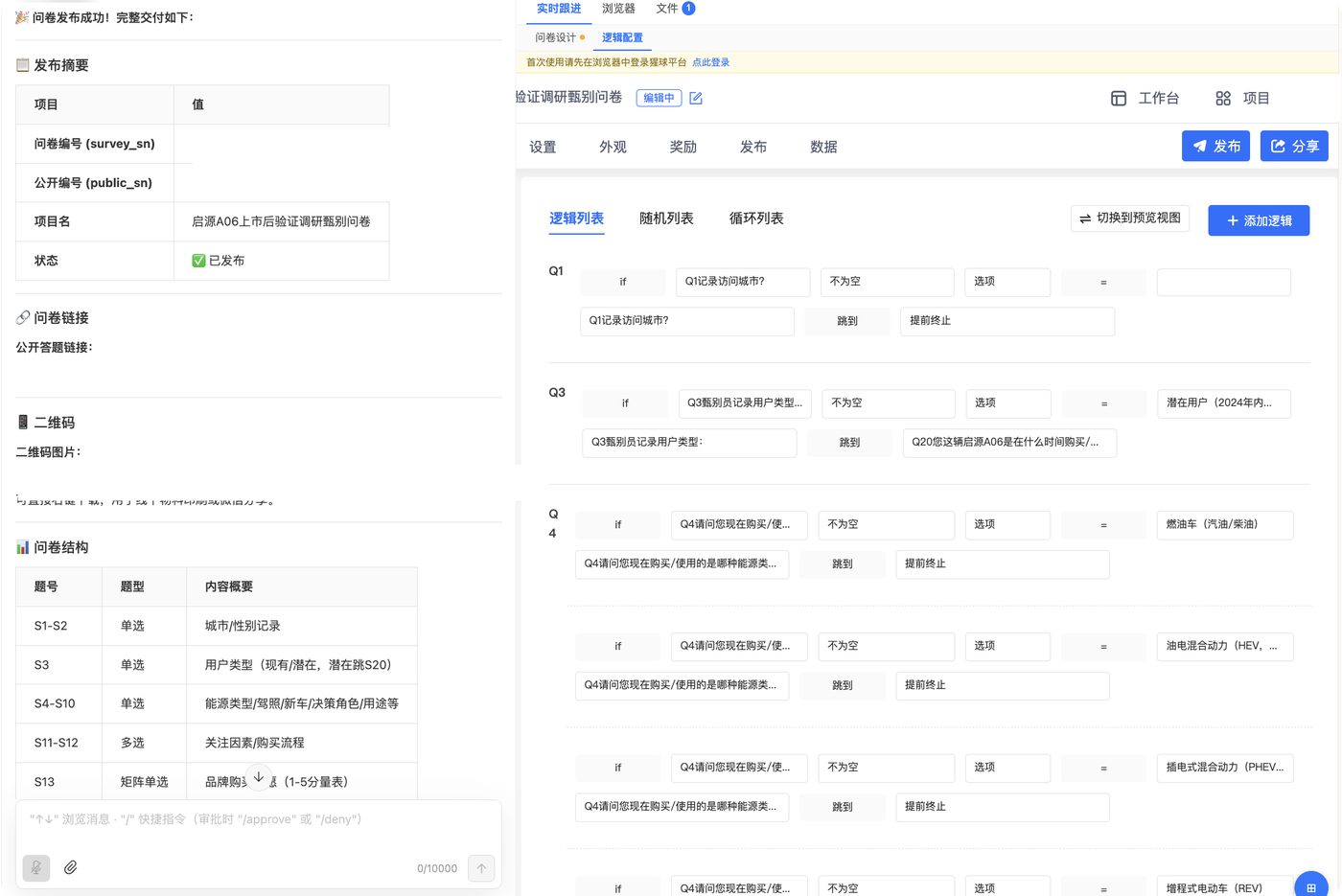
Logic validation Click to enlarge
STEP 2 · Logic validation

Skip logic, show-hide and quotas, compiled and validated one by one

Screening skips, matrix row-level show-hide, terminations and quota rules are compiled one by one into a logic list, deterministically verified before launch — nothing ships until it passes.
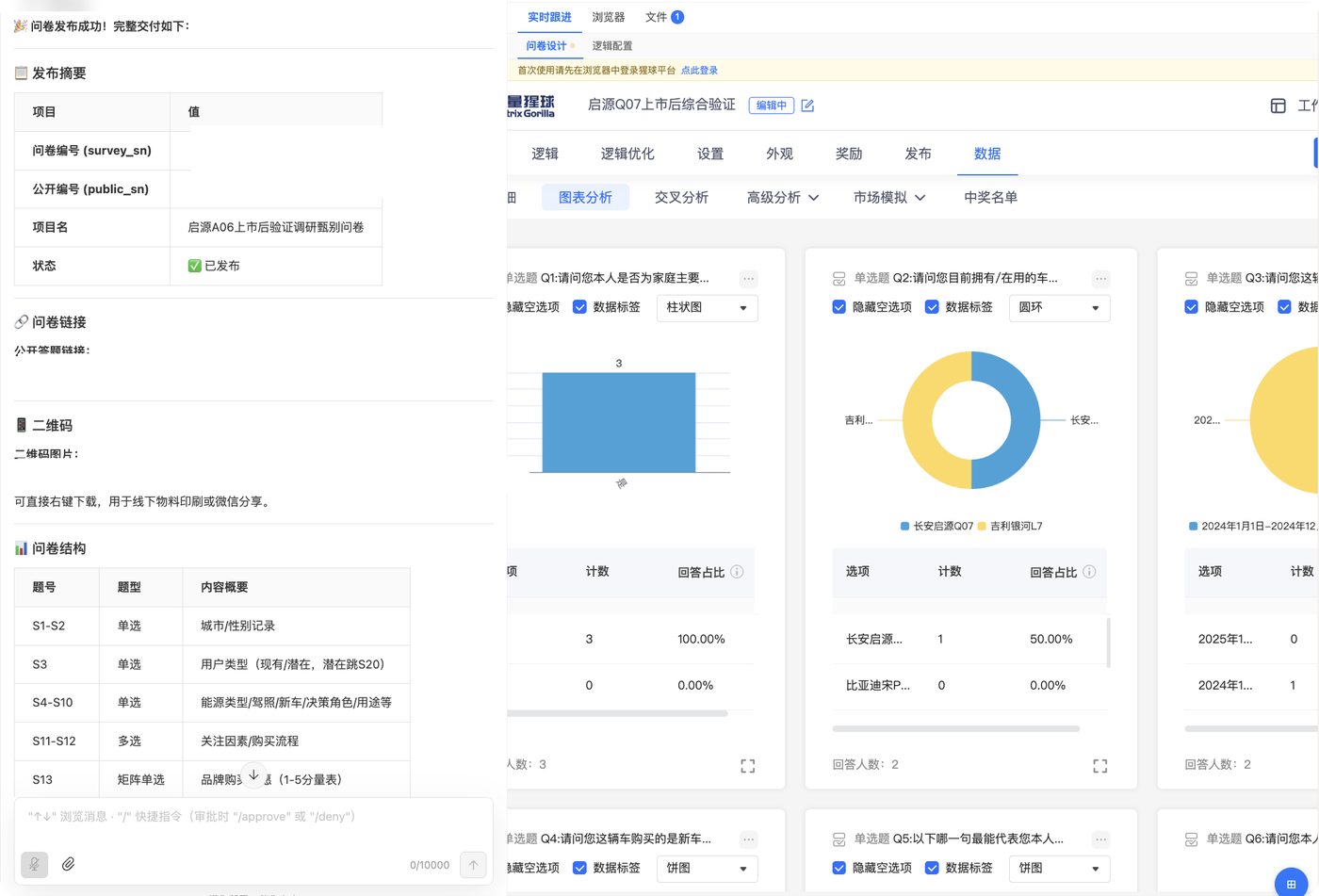
Analysis & report Click to enlarge
STEP 3 · Analysis & report

One-click launch and collection, cross-tabs charted automatically

Launch generates a response link and QR code and collects precisely by quota; collected data is charted and cross-tabbed by dimension, and a draft quantitative report is produced alongside.

The above are real project outputs, anonymized · swipe or click a tab to switch, click the image to enlarge

Your quantitative research team

From survey build to report, it takes on the whole team's work

Survey build
Faithfully transcribes the document into a structured e-survey, previewable question by question
Details

docx → structured survey · question types / options / matrix rows faithfully reproduced

Logic & quota compilation
Deterministically compiles skip logic, show-hide, question-group loops and quota rules
Details

Matrix row-level show-hide · skips / quotas · numbering gaps auto-aligned

Launch & collection
One-click launch to the response platform, generating a response link and QR code
Details

One-click launch · response link / QR code · quota-based recruiting and collection

Cross-tabs & charts
Via the research platform, cross-tabs by dimension and auto-charting
Details

Connects to the Gorilla research platform's analytics · cross-tabs / charts

Quantitative report
Key conclusions, charts and recommendations auto-compiled into a draft quantitative report
Details

Conclusions + charts + recommendations → draft report, in Chinese or English

Gold-standard check
The build aligns word-for-word with the original; only diff=0 counts as a successful launch
Details

Post-launch read-back snapshot · semantic-projection check · diff_count=0